

Remote access is only part of the answer.
The harder question is whether every person, device and login request should be trusted.
The Short Answer:
VPNs are useful, but secure hybrid working requires more than a successful username and password. The business also needs to validate the identity, device and context behind each access request. Don’t assume that any standalone VPN does this automatically.
A familiar solution to a very different working world
VPNs became a standard answer to remote working for good reason. They create an encrypted connection between a user and a corporate network, allowing someone outside the office to reach internal systems as though they were on site. When remote access was occasional and most work still happened inside a defined office perimeter, that approach made sense.
Hybrid working has changed the scale and shape of the challenge. Employees now move between home, client sites, shared workspaces and the office. They access cloud services directly, work from laptops and mobiles, and may need company information at any hour. The network is no longer the only place where work happens, so gaining access to it cannot be the only security decision that matters.
A VPN may therefore be working exactly as designed while leaving the business with a larger unanswered question: how can you prove that the person using those credentials is a genuine, current employee who should be accessing that resource, from that device, at that moment?

A key can open the door.
It cannot prove who is holding it.
Think of a VPN password or token as a front door key. The key can open the door, but the lock cannot tell whether it is being held by the employee it was issued to. It does not know whether the key has been copied, stolen, shared or kept by someone who has since left the business. Once the key turns, access has been granted.
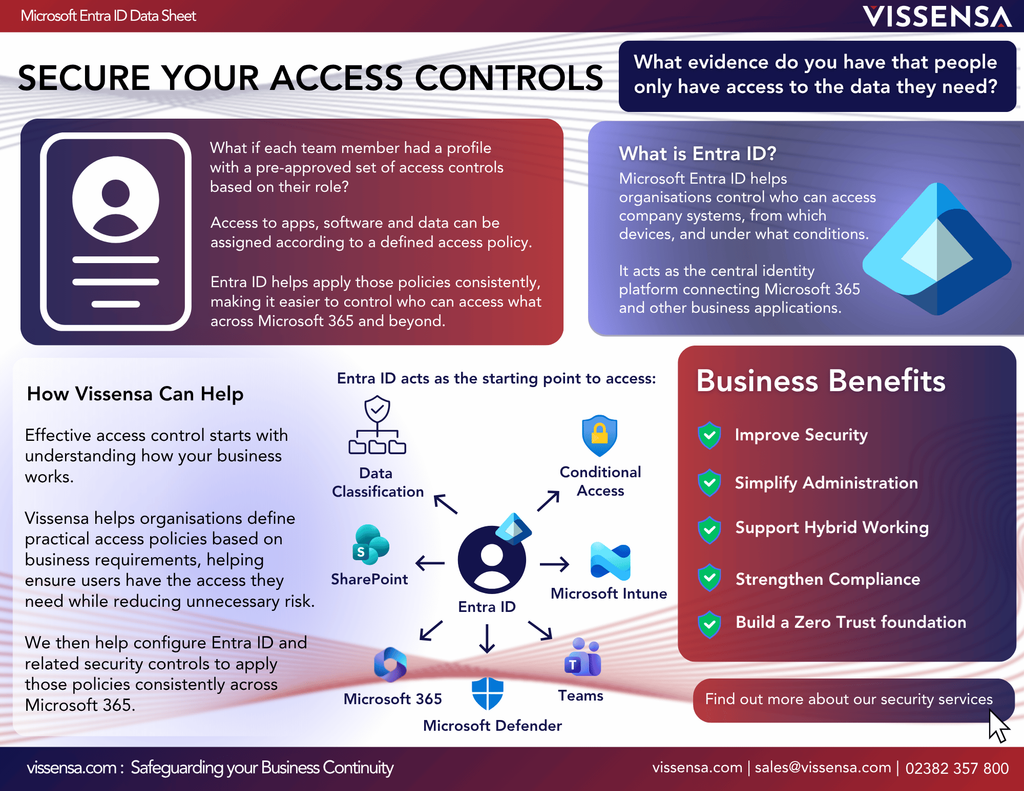
A username and password create a similar weakness when they form the main basis of trust. They show that someone has the correct information, not necessarily that the person is who they claim to be. If those credentials are exposed through phishing, password reuse or an old account that was never disabled, an unauthorised user may appear legitimate at the point of entry.
This is why “the VPN connection succeeded” is not the same as “this access is legitimate”. The connection may be encrypted, but the business still needs confidence in the identity behind it and the circumstances around the request.
Why the problem grows with hybrid working
The greater challenge is maintaining accurate access decisions as working arrangements change. Users, devices, applications and data are spread across locations the business does not control, so yesterday’s trusted connection may not deserve the same access today.
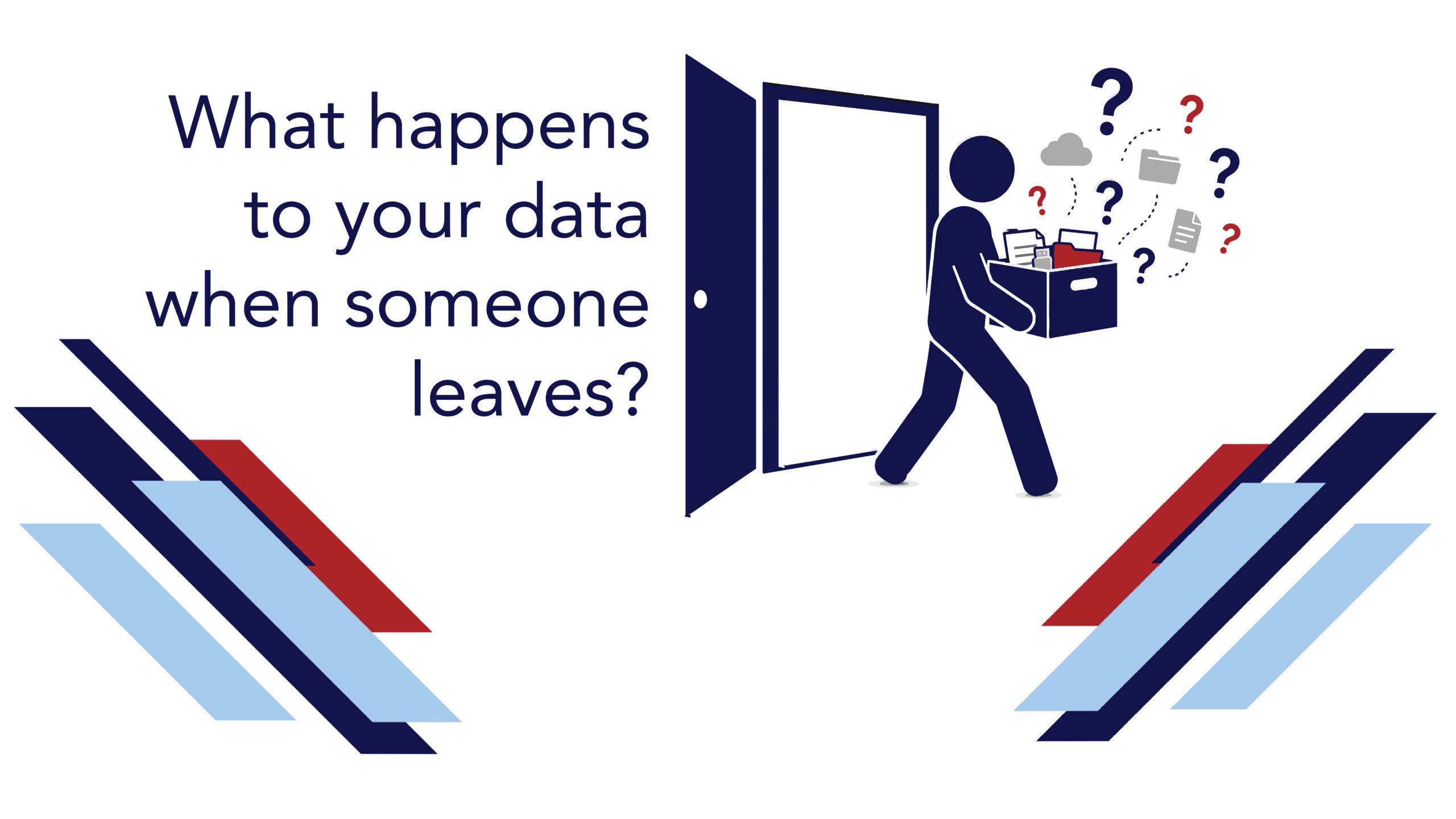
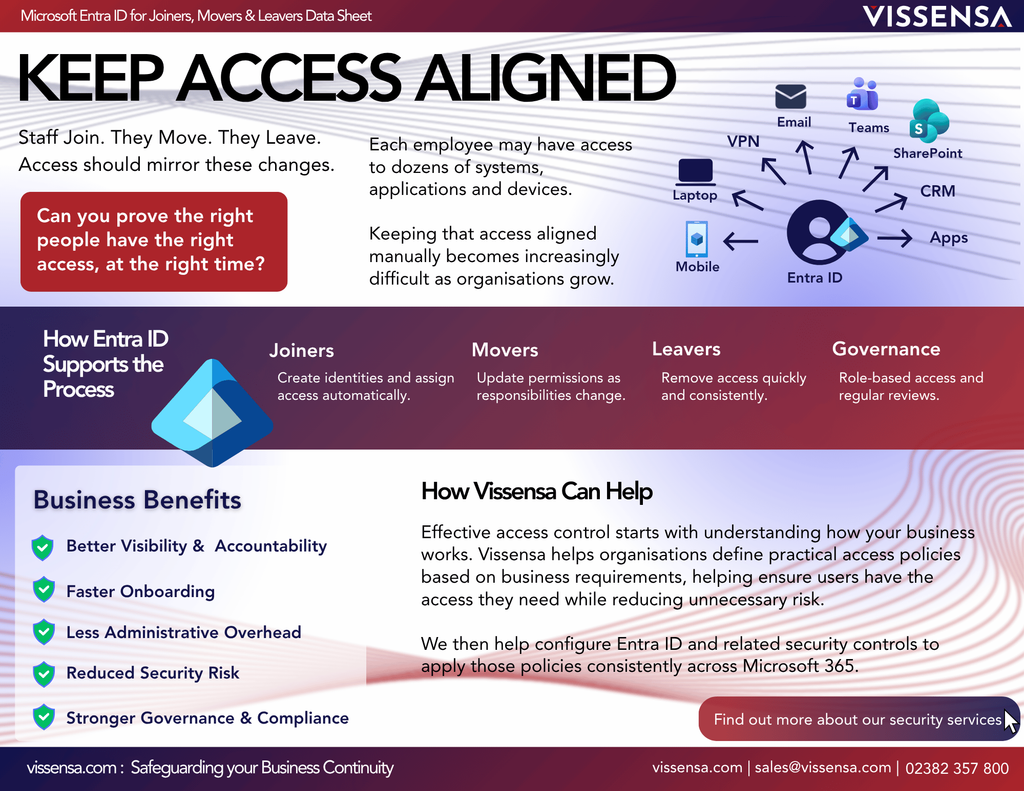
The risk is also operational. A remote workforce changes constantly. People join, move roles, take on temporary responsibilities and leave. Devices are replaced. Contractors need limited access. Managers ask for urgent permissions so that work can continue. If access controls depend on manual updates or the memory of several busy people, yesterday’s valid user can become today’s hidden vulnerability. Read more on how to keep access aligned with these changes.
That does not mean every remote connection is suspicious. It means trust should be earned from current evidence rather than inherited from a familiar password, network or device.
Moving from network access to verified access
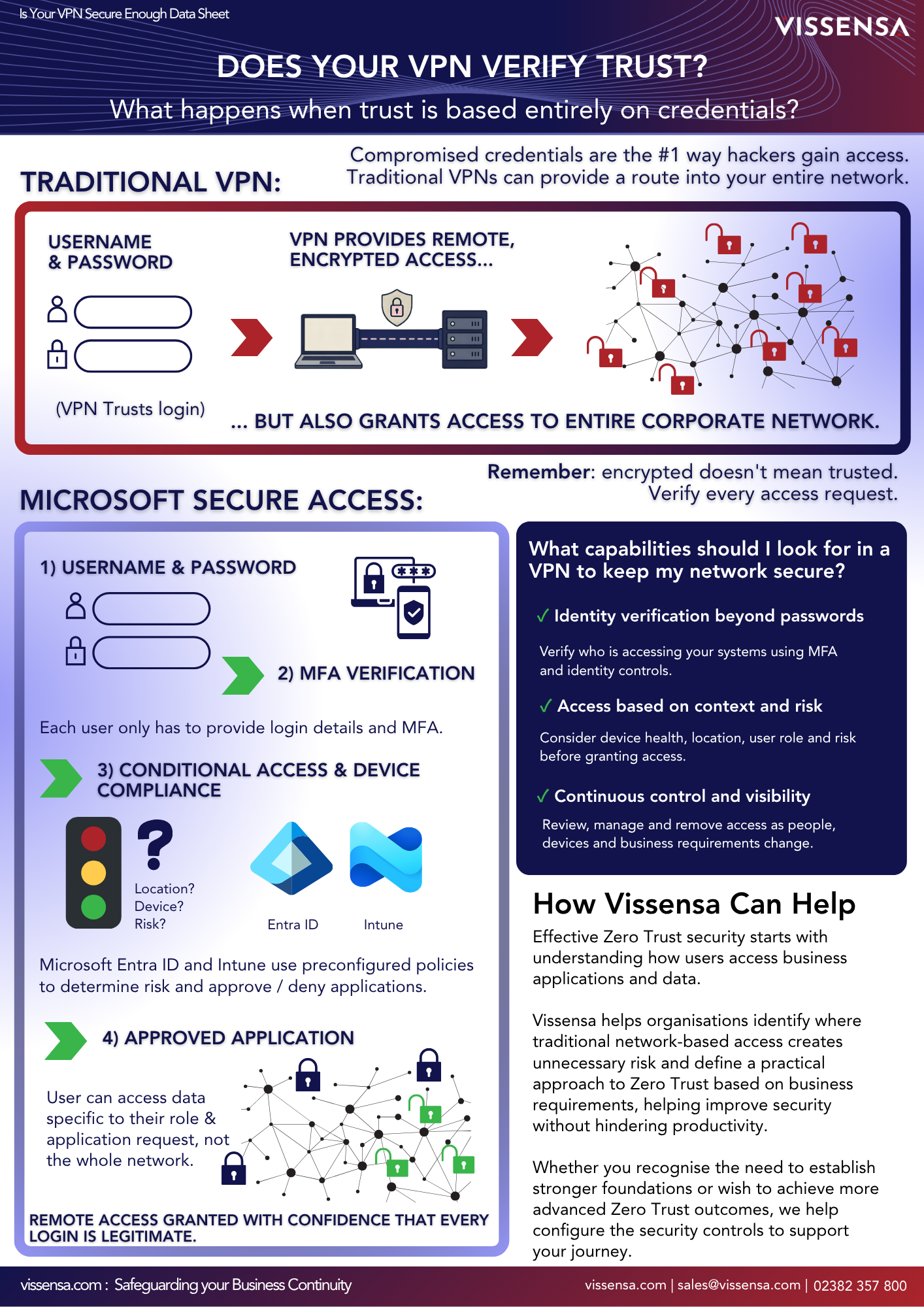
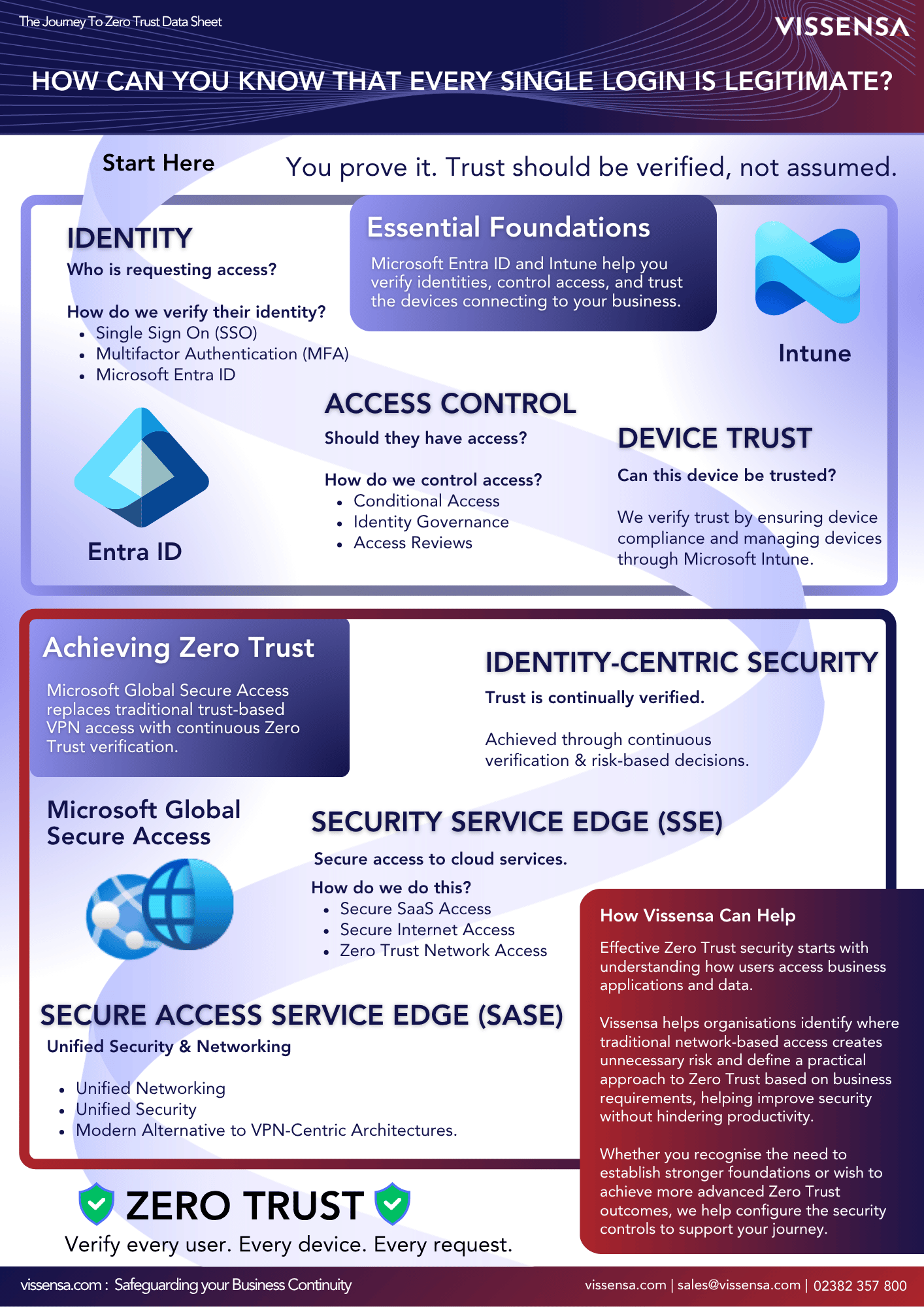
Zero Trust starts from the principle that no user, device or connection should be trusted by default. Access decisions consider signals such as identity, device security, location, risk and whether the person genuinely needs the resource. These decisions can be reassessed as circumstances change.
Organisations normally introduce Zero Trust in stages, beginning with the greatest risks and building on their existing controls. In a Microsoft environment, practical milestones may include stronger multifactor authentication, Single Sign-On (SSO) through Entra ID, clearer access rights, Conditional Access, device compliance, identity protection and more consistent monitoring. The approach should reflect the sensitivity of the data and the organisation’s obligations for protecting it.
Does Your VPN Verify Trust?
A VPN may remain useful where people need access to private applications or on-premises resources, but it should no longer be expected to carry the whole burden of trust. A standard standalone VPN can create an encrypted connection, but it may not be enough to prove that the account is still valid, the device is compliant, the request is low risk or the user should still have access. By tying VPN access to live credentials, SSO, MFA and Conditional Access, the organisation can make the VPN part of a wider verification process rather than relying on the connection alone.
VPN Security FAQs for Hybrid Working
Consider how access decisions are actually made in your organisation. Warning signs may include:
- A username and password are the main checks before remote access is granted.
- Former employees or contractors depend on manual removal from several systems.
- Personal or unmanaged devices can connect without clear minimum standards.
- Once connected, users can reach more of the environment than their role requires.
- The business cannot easily show who accessed which systems, from what device and under what conditions.
- Security controls are so awkward that employees look for shortcuts to keep working.
These signs do not automatically diagnose a faulty VPN. They suggest that the organisation may be asking a network connection to solve identity, device and governance problems that sit beyond its original purpose.
A stronger access decision draws on more than one signal. Before allowing someone into the corporate environment, the organisation should be able to consider questions such as:
- Is this a valid employee account, and should it still be active?
- Has the person completed another form of authentication beyond their password?
- Is the device known, managed and meeting the organisation’s security requirements?
- Is the request coming from an expected location and behaving in a typical way?
- Does this person need access to this particular application or set of data?
- Who is responsible for reviewing access activity, responding to alerts, and checking that these controls remain effective?
No single check provides absolute certainty. Together, however, they make it much harder for an impersonator to pass as a legitimate employee. The aim is to put several meaningful barriers in the attacker’s path while keeping the experience proportionate and straightforward for genuine users.
Security should create confidence, not friction. It is easy to assume that stronger verification means more prompts, more passwords and more barriers for employees. Poorly configured controls can certainly create frustration. A well-designed approach should do the opposite: make routine access simple for genuine users and apply extra scrutiny when something about the request changes.
For example, a recognised employee using a compliant company laptop in a normal context may have a smooth experience. A sign-in from an unmanaged device or unusual location may trigger another check or provide more limited access.
This is where Conditional Access becomes useful: it allows security to respond to risk, while keeping everyday access straightforward for genuine users. It is also a practical layer that Vissensa can help organisations configure as part of a stronger Microsoft security setup.
This balance matters because people will work around controls that repeatedly stop them doing their jobs. Modernising remote access should therefore consider user experience alongside technical protection.
You may already own part of the answer. A review of the security capabilities already available in your Microsoft environment is often the best place to start. Many organisations already own useful controls but may not know which features are included, how they are configured or whether the policies reflect current working practices. The review can then show whether the VPN still fits, where configuration should improve and whether any additional investment is genuinely needed.
A sensible first step is to map how remote access works today. Identify who can connect, which devices are accepted, what second factor is required, how leavers are removed, what users can reach after connecting and what evidence is available. That review can reveal where the VPN remains appropriate, where additional identity and device controls are needed, and where complexity could be reduced.
So, is your VPN secure enough?
Your VPN may still provide a secure connection. The more important test is whether the wider access model can prove that each request is valid and appropriate.
If the business relies mainly on a username, password and network connection, it may know that someone has opened the door without knowing enough about who is standing on the other side. Secure Hybrid working demands a stronger answer. By tying VPN access to live credentials, SSO and multifactor authentication, the organisation can better control who is authorised to initiate a VPN connection in the first place.
Vissensa can help you review remote access, identity, devices and the controls already available in your Microsoft environment. The goal is a practical route towards stronger verification that protects the business without making everyday work harder.
Want to understand how what level trust is suitable for your organisation to operate a secure VPN remote access? We have a guide on this.